The anatomy of an EDR blind spot in Microsoft Defender for Endpoint: where the detection gap opens up, how to close it with Advanced Hunting, and how Microsoft frames this class of risk.
Introduction
Most modern EDR/XDR products no longer decide based on signatures but on behavior: which process launched which process, the shape of the command line, and whether the parent chain looks "normal." This approach has largely left file-based detection behind, but it introduced a new blind spot along with it — if the parent process is signed and trusted, most of the agent looks at the child process with almost no suspicion at all.
We tested this assumption in a lab environment: on VMware vSphere infrastructure, we looked at whether a PowerShell command sent from the hypervisor management plane down into a guest operating system would generate an alarm in six different EDR/XDR products. The result was a product-independent pattern — none of them saw anything in their default configuration. We shared this finding on July 1, 2026 as the INFINITUM-SA-2026-07-001 advisory. In this article we take a deep dive into that same case, specific to Microsoft Defender for Endpoint (MDE).
The Case: vmtoolsd and Guest Operations
The host-side component of VMware Tools, vmtoolsd.exe, is a VMware-signed service that is marked as trusted in nearly every endpoint agent's file reputation database. vSphere's GuestProcessManager.StartProgramInGuest API allows programs to be executed inside the guest VM through this service — it is a facility designed for entirely legitimate scenarios such as automation and agent deployment.
The critical detail here is this: this execution comes neither over the network (SMB/WinRM/RDP) nor from an interactive session. The command is born directly as a child process of vmtoolsd.exe via the VMX/hypervisor channel. In other words, the two major correlation sources the endpoint agent is used to — network telemetry and session telemetry — are out of the picture from the very beginning in this scenario.
Why EDRs Miss This
It would be misleading to reduce the miss cause we observed in the tests to a single factor; in fact there are four separate effects overlapping:
Reading this as a "product vulnerability" would be wrong. In none of the six products did process telemetry actually disappear — it's just that none of them turned it into an alarm in the default policy. The distinction matters, because the solution is shaped accordingly: what's missing is not visibility but correlation.
MDE Specifics: The Record Is There, the Alarm Isn't
MDE's process creation visibility is fed by a kernel-registered PsSetCreateProcessNotifyRoutineEx notification routine and complementary ETW (Event Tracing for Windows) providers. These events land in the DeviceProcessEvents table and carry the following fields:
InitiatingProcessFileName, InitiatingProcessId— the reported parentFileName, ProcessCommandLine, AccountName— the child processInitiatingProcessParentFileName— the grand-parent (useful in chain analysis)ProcessUniqueId / InitiatingProcessUniqueId— instance-specific identifiers that eliminate the PID reuse problem
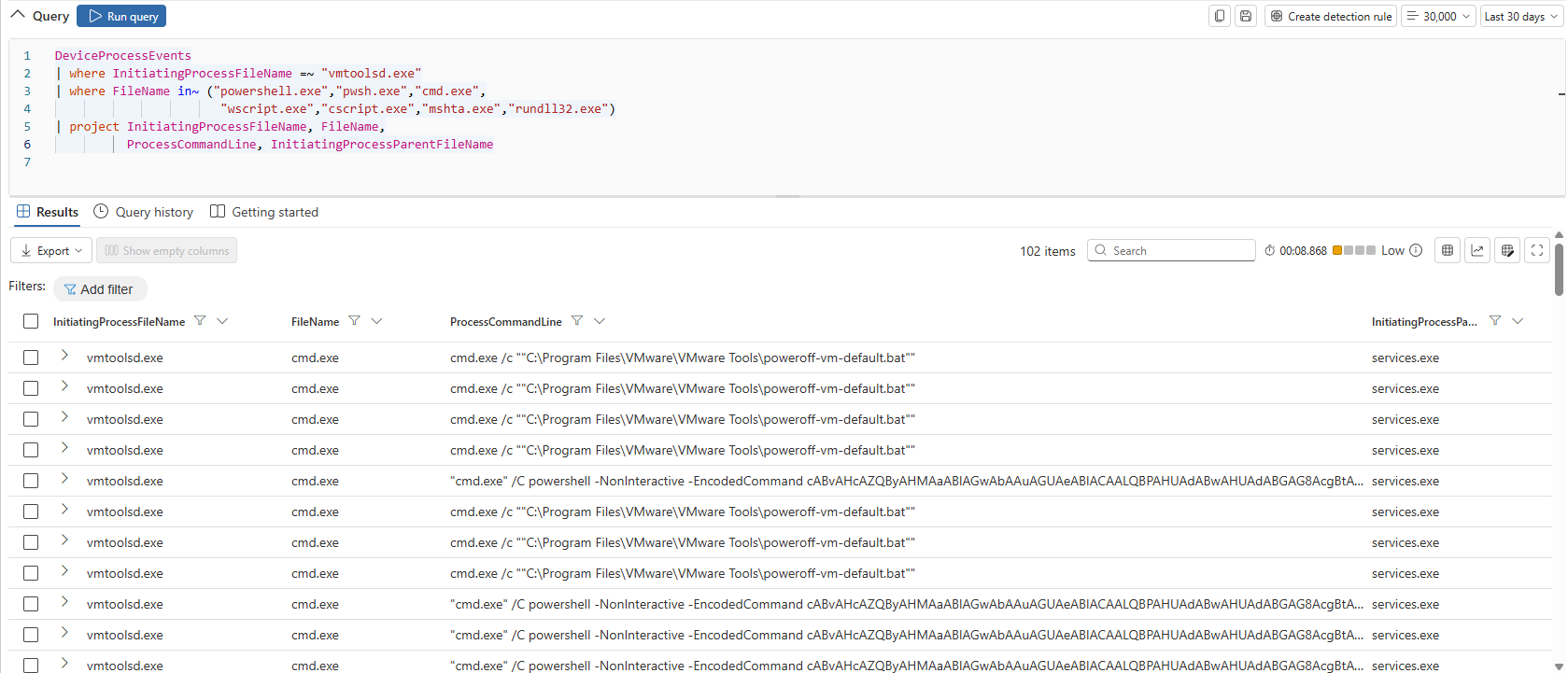
In our test environment, the powershell.exe process launched under vmtoolsd.exe was sitting there in DeviceProcessEvents as a complete row — including the command line. In other words, there is no loss at all in MDE's telemetry collection layer. What is missed is the default alarm logic sitting on top of it: a signed binary spawning a child process is evaluated as low-priority/high-noise weight by MDE's cloud-side behavioral models. This is a deliberate design choice aimed at keeping the false-positive rate low, but in practice it is the exact counterpart in MDE of the gap we saw in our VMware advisory.

Advanced Hunting query
Detection Approach: From Advanced Hunting to a Custom Detection Rule
To add the query mentioned above to the MDE system as a rule, you can do the following:
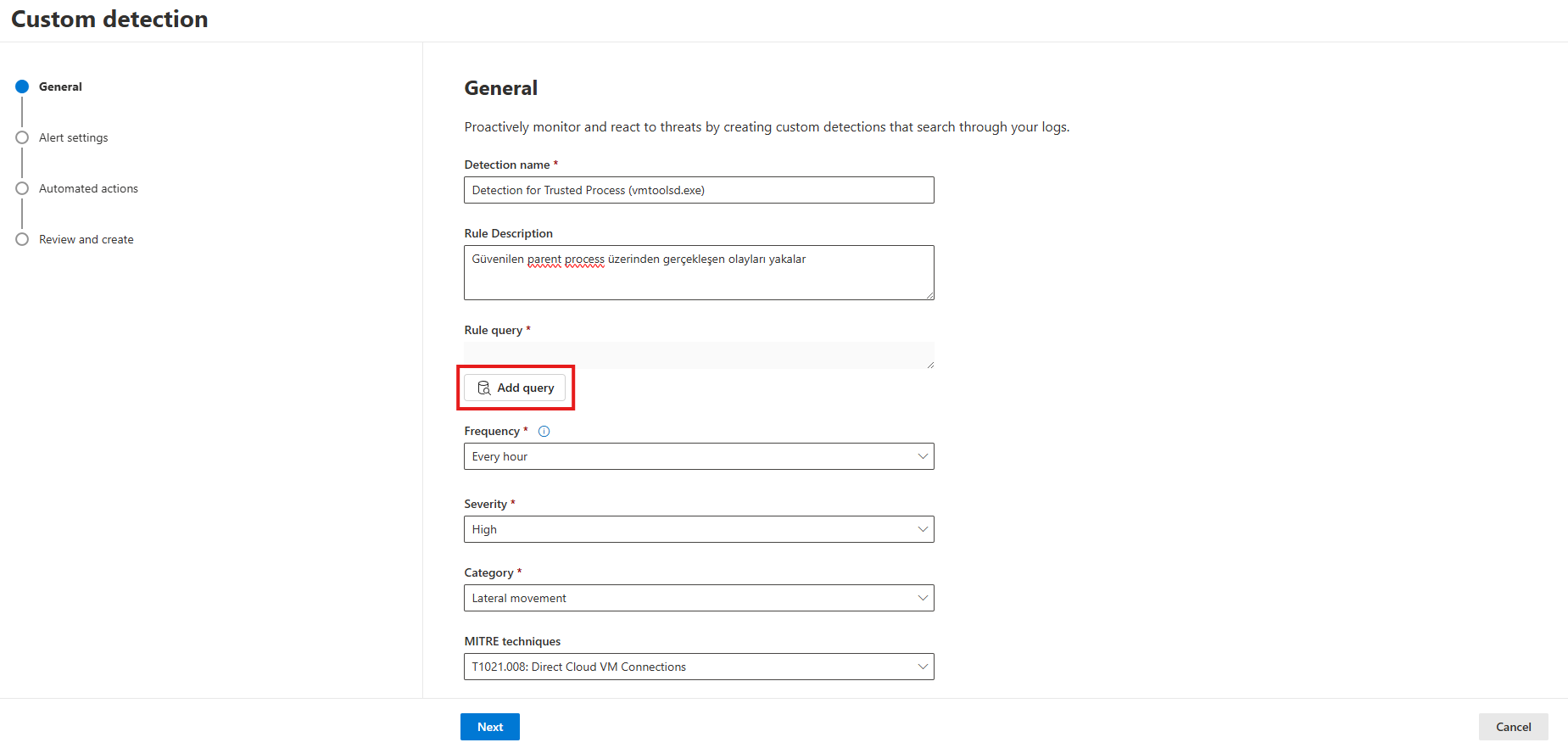
Custom Detection Rules > Create detection rule:

You can fill in the required fields as shown in the screenshot and then press the Add query button:
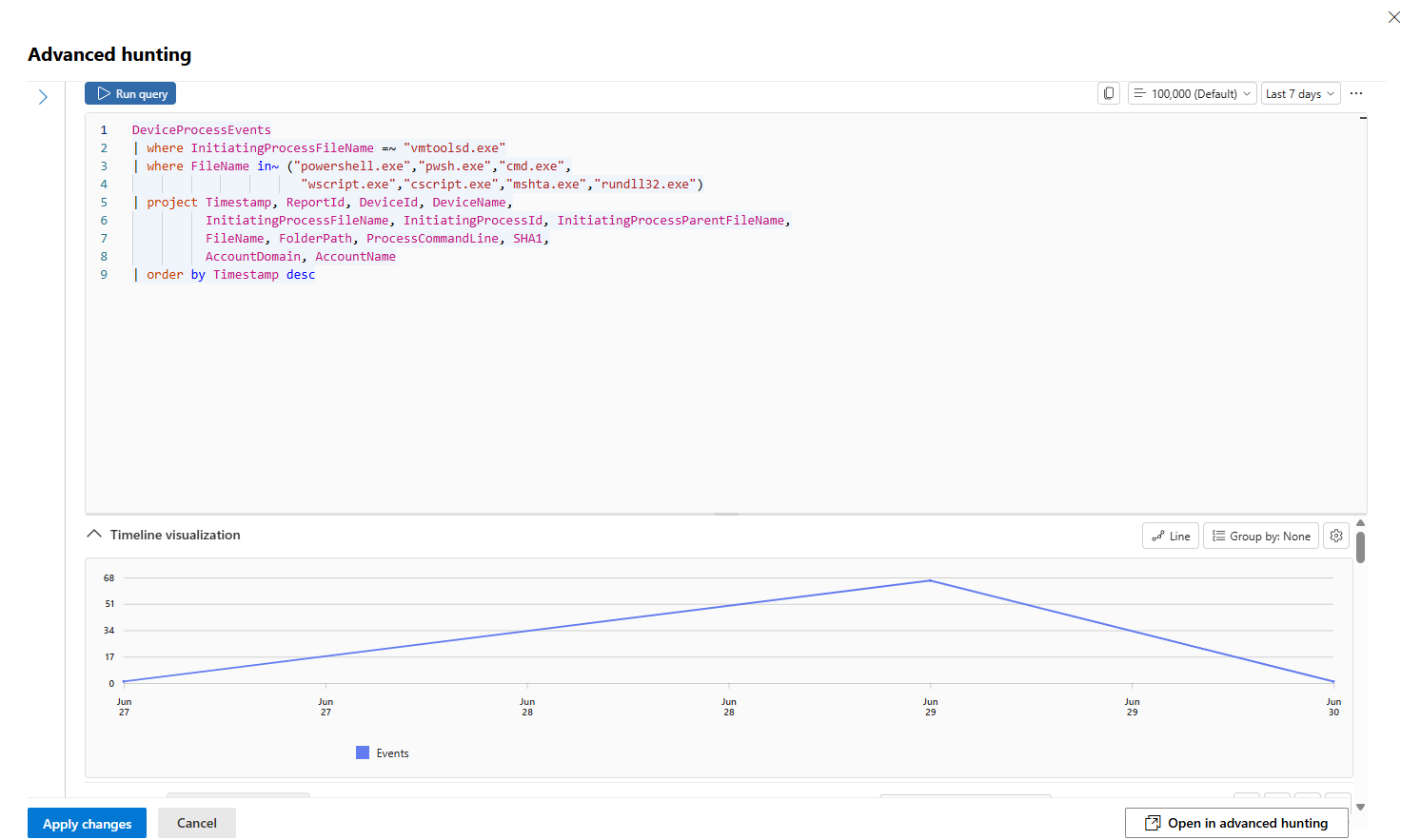
You can test this query by entering it in the relevant field and then confirm it:
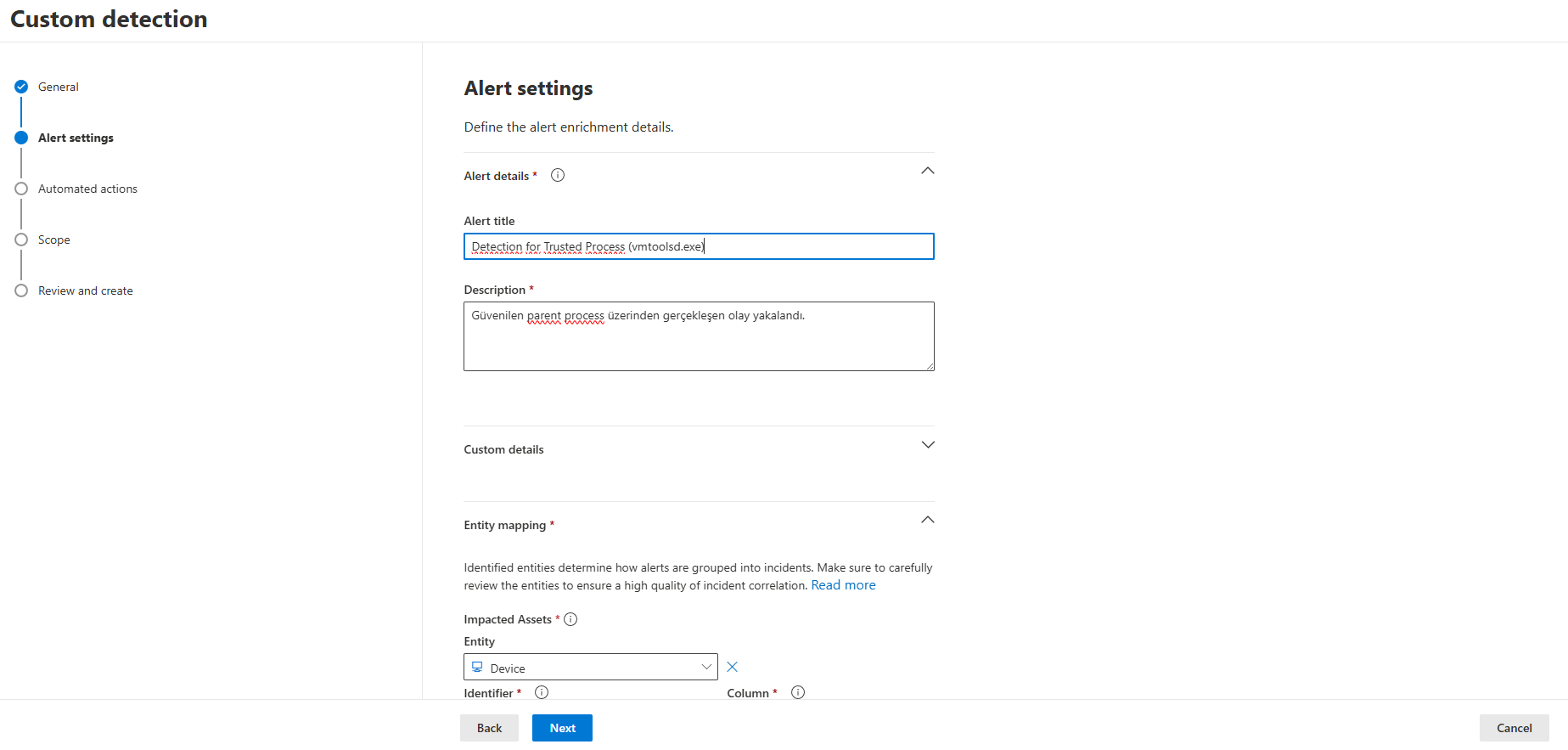
You can configure the alarm settings according to your preference:
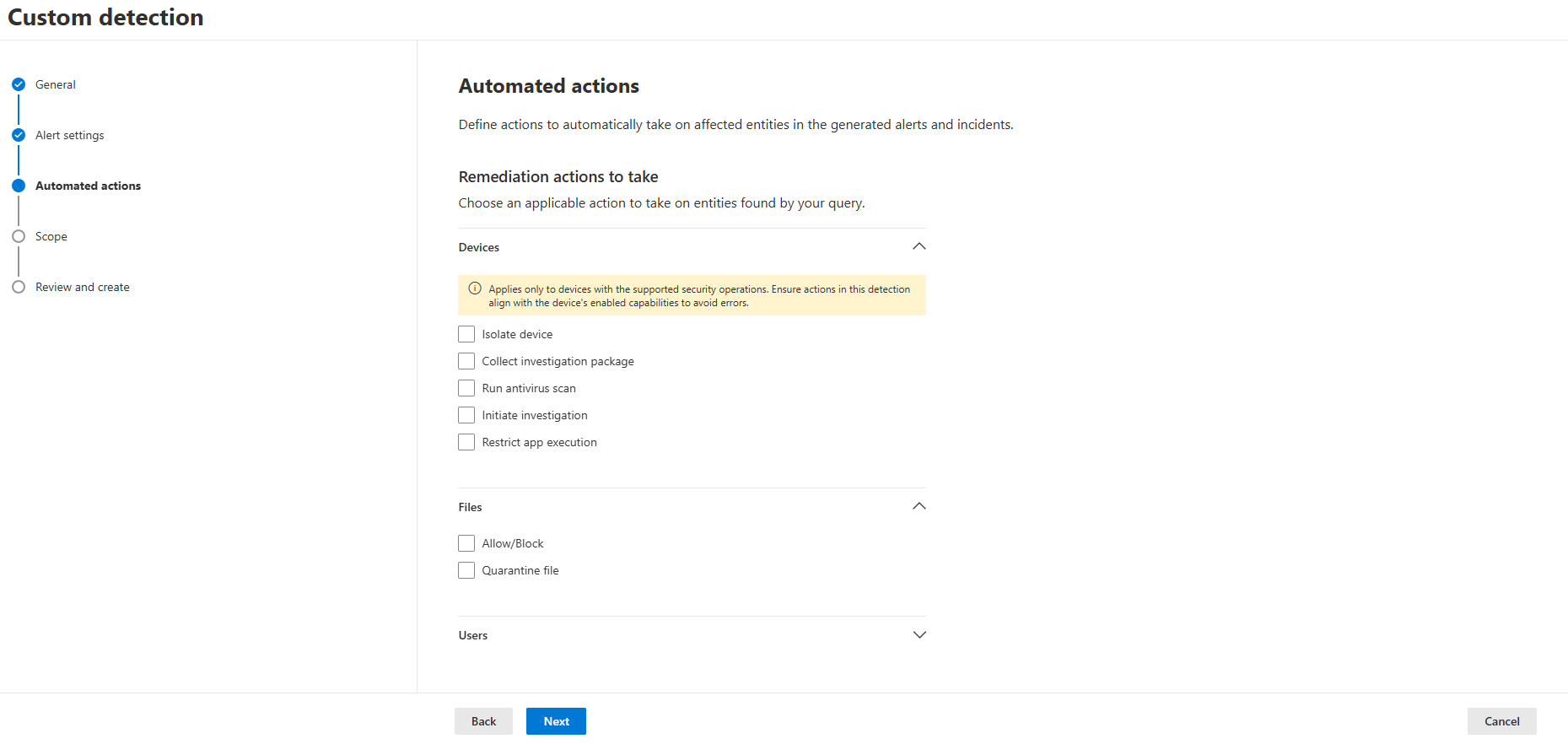
At this stage you can determine the action to be taken after the alarm is triggered, but as noted earlier, taking an action right away is not recommended:
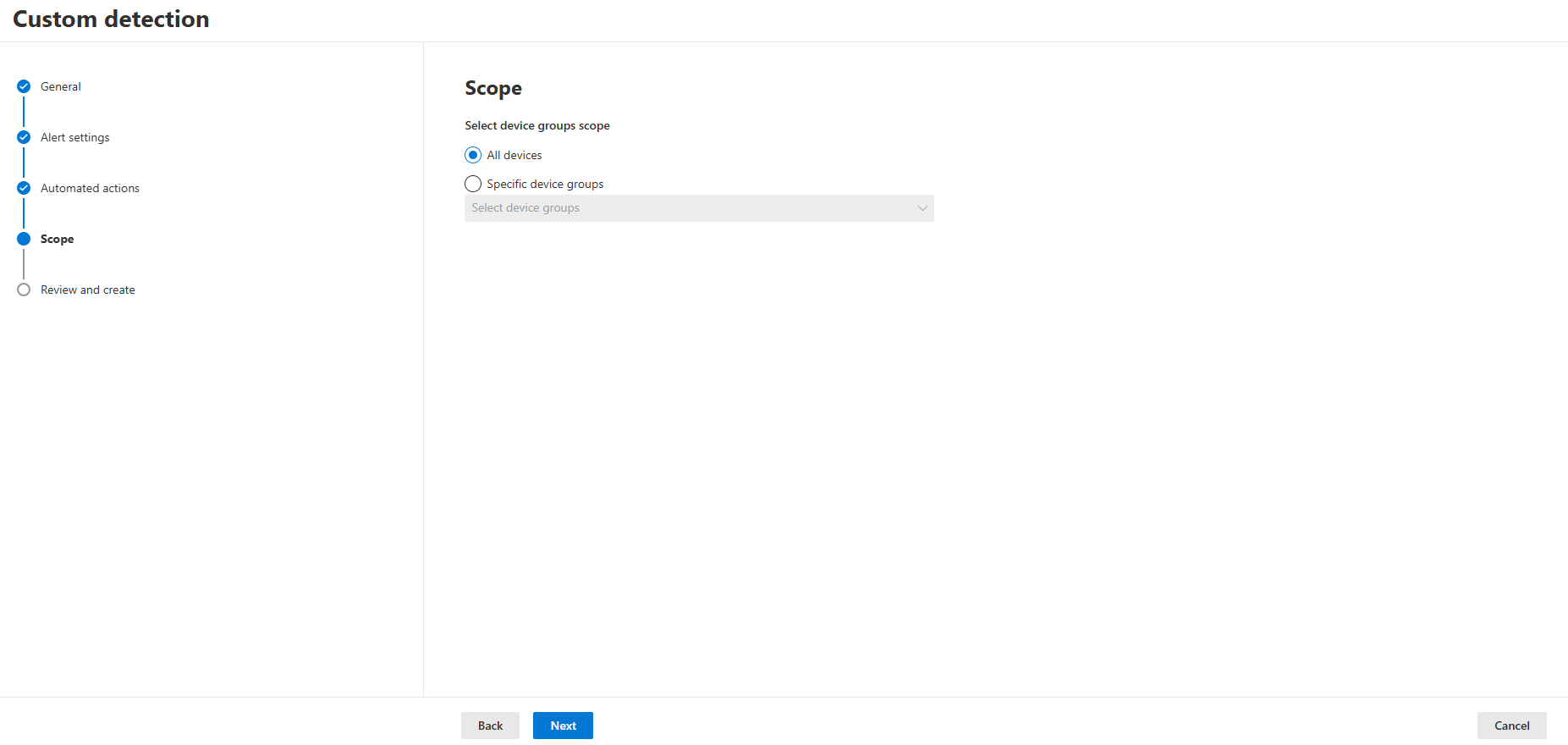
In this section, you can define the scope of this rule within your organization:
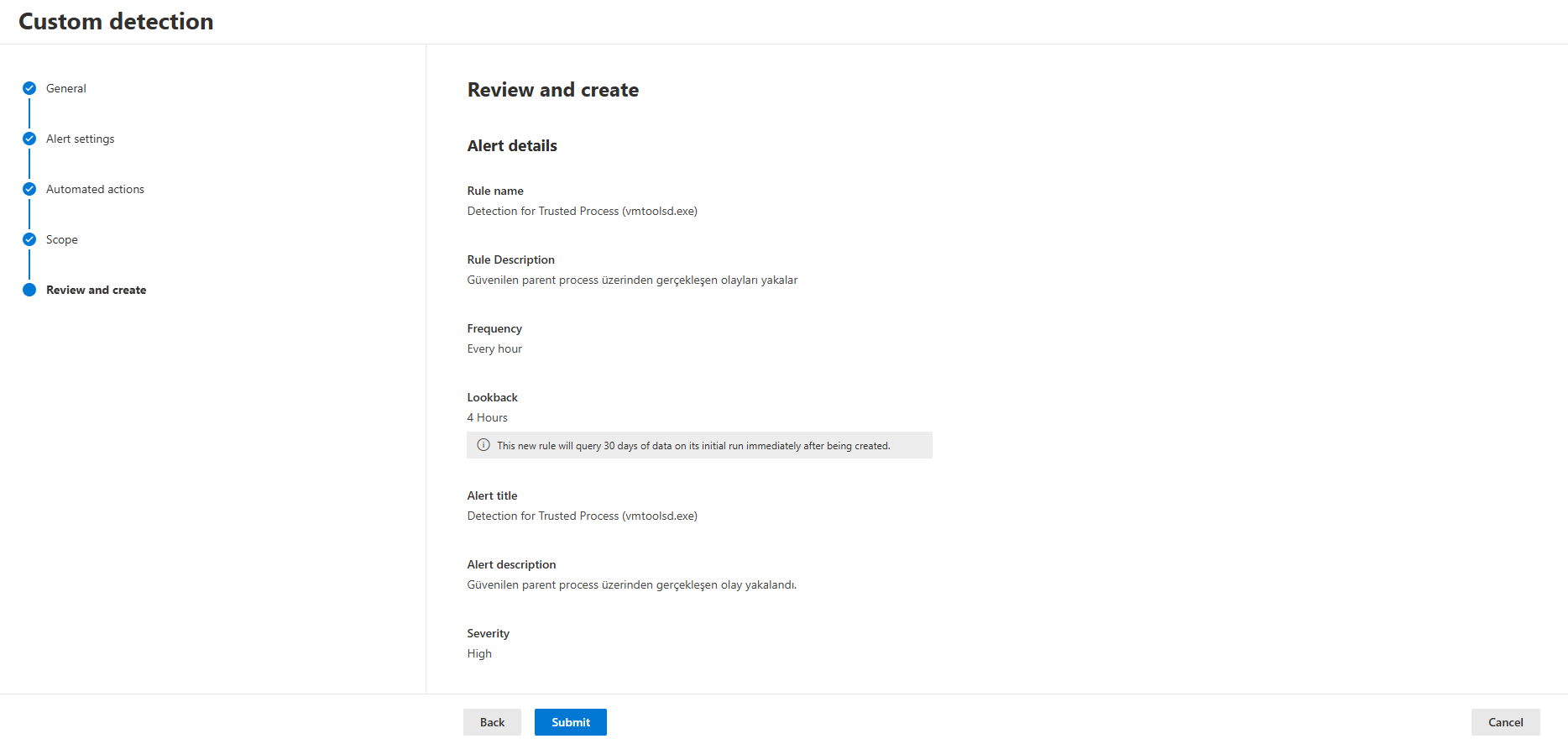
In the final step, after reviewing the rule you have created, you can press the Submit button:
How Does Microsoft Address This?
Since vmtoolsd is a third-party component, Microsoft has no direct statement on it — but the same architectural gap also applies to Microsoft's own Azure Guest Agent / Run Command feature, and there we can clearly see the vendor's stance. In the Storm-0501 analyses on the Microsoft Security Blog (September 2024 and August 2025), Microsoft itself describes how the actors use Azure Run Command to execute scripts in the SYSTEM context without requiring RDP/SSH, and it labels this as a "visibility gap in hybrid cloud environments." As a solution, it does not consider MDE alone to be sufficient; it recommends deploying Defender for Cloud and Defender for Cloud Apps together with it.
In other words, the vendor's philosophy is this: "the legitimate use of a signed, authenticated tool coming from the management plane" is not a product vulnerability; the real control point is tightening access to that management plane. MDE deliberately does not produce a default alarm and leaves the responsibility of closing the gap to the customer, via a custom detection rule plus control-plane log correlation.
Closing
The vmtoolsd example is really only one member of a larger family. We see the same architectural pattern (executing a command from outside the OS, session-less, under a signed-trusted parent) in SCCM, Intune, cloud guest agents, and various RMM tools as well — we will cover that in a separate article. The real takeaway here is not to blame a single product: it's to see how easily the "signed = innocent" assumption that behavioral detection relies on can be flipped by an actor with access to the management plane. MDE is not losing visibility in this scenario; it is leaving the decision to you. Whether or not to write the custom detection rule means having already made that decision in advance.
Selman Bilal SİVRİ — L2/L3 MDR Analyst
InfinitumIT MDR — Detection Engineering & Threat Hunting
This article is based on the results of a controlled test and Rule Simulation carried out in a real Microsoft Defender for Endpoint environment.